

- Octra sites, through the 0xio SDK and the
window.octraprovider. - EVM sites (Ethereum and other EVM networks). Sites find the wallet through EIP-6963 and list it as 0xio Wallet. The extension also sets
window.ethereumwhen no other wallet has set it.
This page covers the browser extension. The mobile app connects to sites in its built-in browser and through WalletConnect, see Mobile Wallet. The desktop app has its own built-in browser, see Desktop Wallet.
Connecting
Sites ask to connect from their own page. The connect review shows the site, the wallet it will see and the network:- The site can view this address and its balances.
- Every transaction and signature needs your approval.
When the Open Wallet Has No EVM Address
A wallet imported from an Octra private key has no 0x address. When such a wallet is open and an EVM site asks to connect, the review lists your wallets that have an EVM address, with the one you used last picked first. Watch-only wallets are never listed.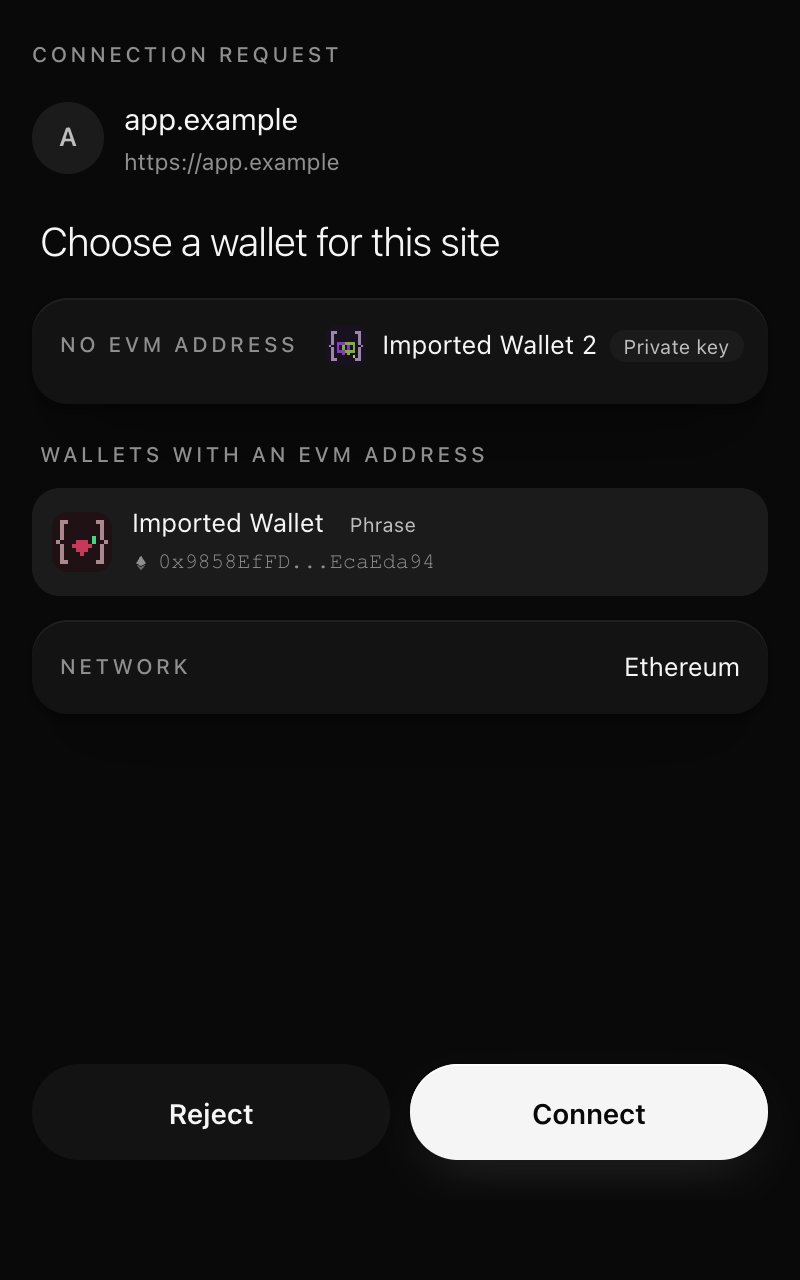
Choosing a wallet for an EVM site
Several Wallets per Site
An EVM site can be connected to more than one of your wallets:- When you open a wallet that is connected to the site, the site moves to it.
- When you open a wallet that is not connected to the site, the site keeps the wallet it had.
- Switching wallets never disconnects a site.
- A site only ever sees the wallet in use. It cannot learn which of your other wallets are connected to it, and a request naming another address is refused.
The Site Chip
The status bar at the bottom of the wallet shows the open tab’s site: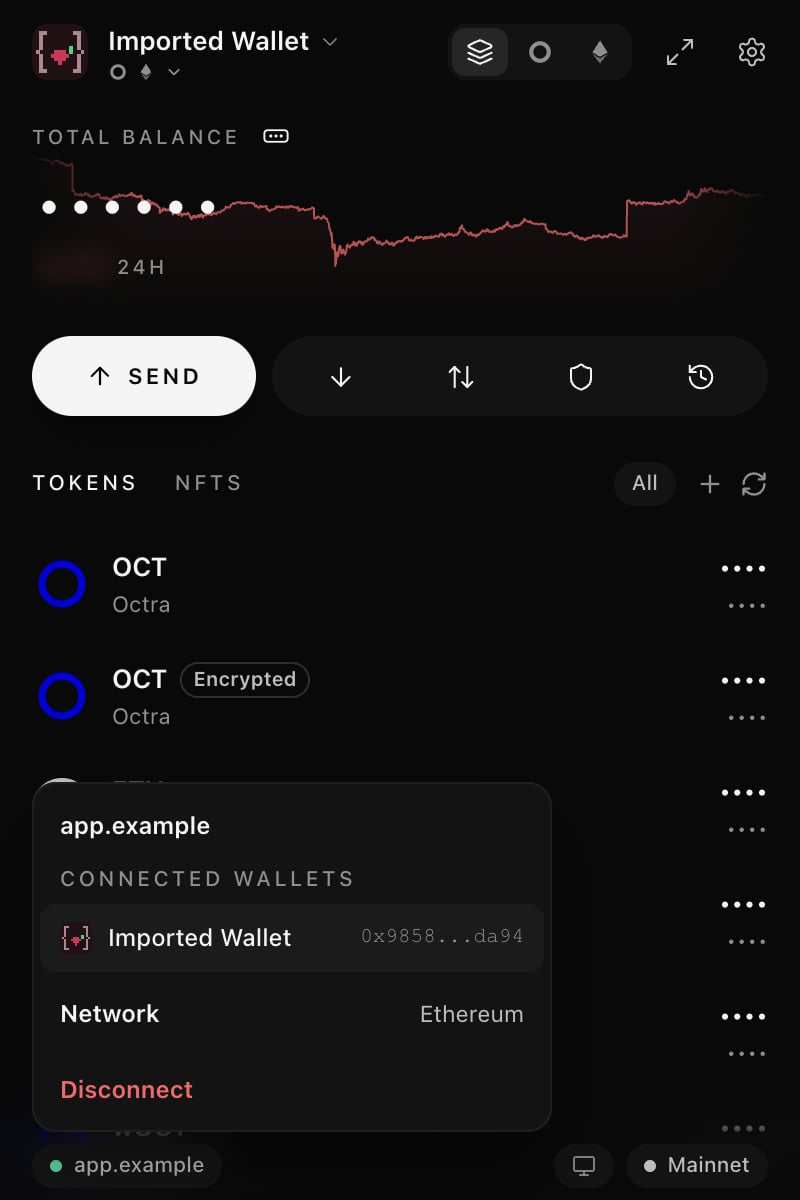
The site chip menu
Mainnet and Testnet
0xio is on Mainnet or Testnet as a whole (see EVM Networks). When a site asks for a network on the other side, the review asks to Switch 0xio to Mainnet or Switch 0xio to Testnet. Approving moves Home, balances, History and every connected site to that side, then puts the site on the network it asked for. Rejecting changes nothing.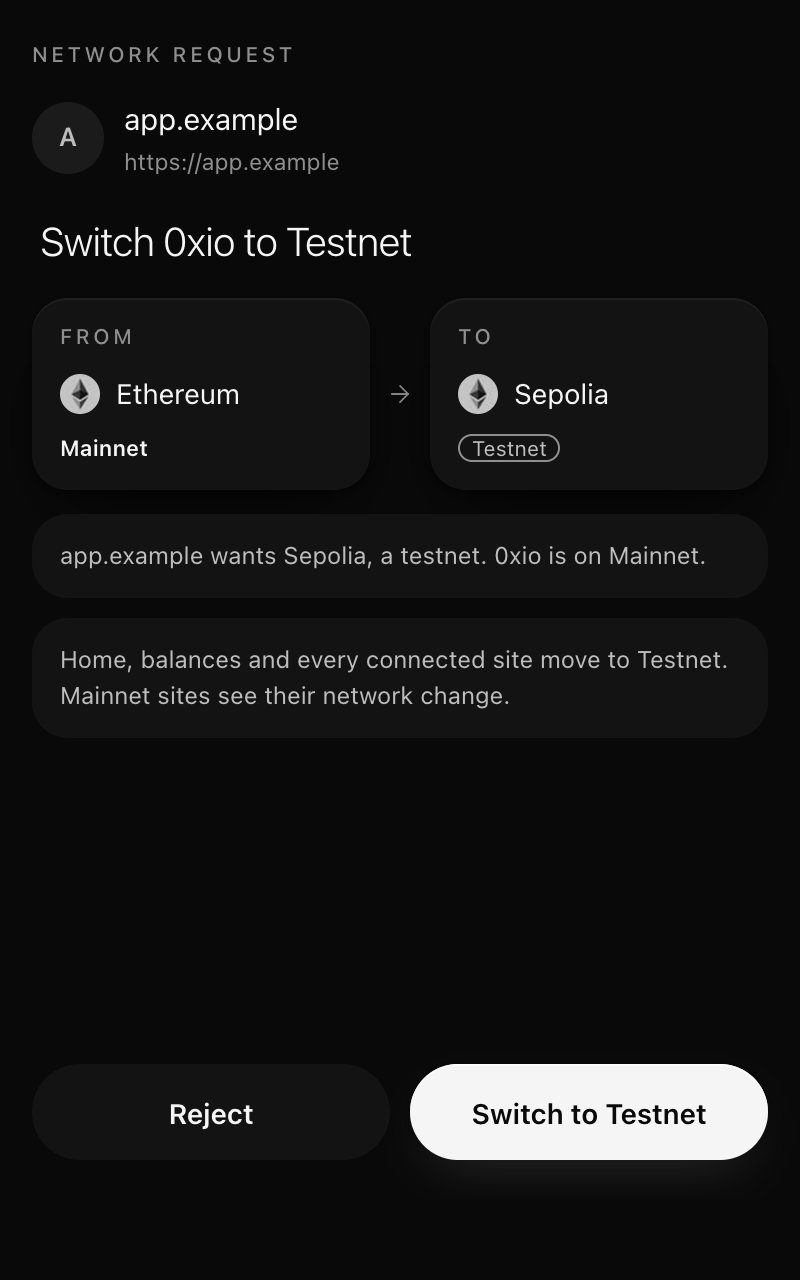
A site asks for a testnet
Reviewing Requests
Every request from a site opens its own review, names the site, and shows the wallet that signs with its balance (EVM reviews label it Signing with). Each review ends with Reject and the action, for example Connect, Sign, Send, Switch, Add and switch, Add token or Deploy.- Messages: the full message. A message that is not readable text is shown as hex with a warning. A token permit says that it lets the spender move your tokens without a separate approval.
- Transactions: what the call does (for example a token transfer or approval), the amount, the recipient or spender, and the maximum fee. A call 0xio cannot decode says so.
- Token approvals: tap the pencil on the Amount row to change the amount, or turn on Unlimited. The amount signed is the one shown, and never more than the site asked for unless you pick Unlimited.
- Fees: site transactions use the wallet’s live network fee. The fee the site sent is used only when the network gives none, and the review marks it Suggested by site.
- Contract deployment: a review with the code size, the new contract’s address and the live fee.
- Add a network and Add token show what will be added. Add networks only from sites you trust: the RPC sees your address and your activity on that network.
Connected Sites
Settings > Connections > Connected sites lists every site once, with its first wallet, a +N count for more wallets and its network. Open a site to see its wallets (each with Remove), Connect another wallet, the network and Disconnect.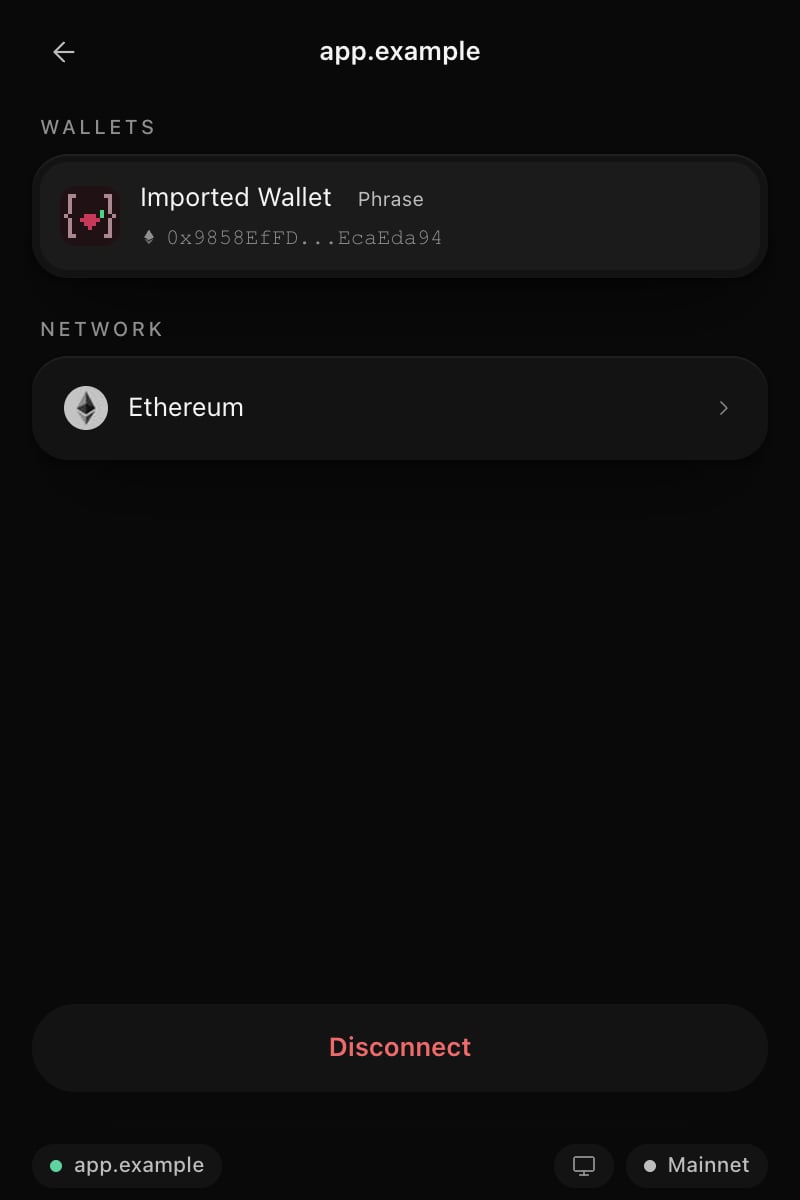
A connected site
While Locked
While the wallet is locked, sites receive no address and no balances. The same connection comes back after you unlock, without a new prompt.For Developers
- Octra sites: SDK Guide.
- EVM sites: the provider supports the standard EIP-1193 methods. See EVM Provider for the methods that open a review, those answered locally and those refused.