

oct...) and an EVM address (0x...). Balances, tokens, NFTs, sends and history for both sit in the same wallet.
EVM networks are public. Private balances, encrypt, decrypt and private sends exist on Octra only.
Your 0x Address
- The 0x address is derived from the same recovery phrase at
m/44'/60'/0'/0/i(secp256k1), so it matches the address other EVM wallets derive from that phrase. Accounts added from a phrase get the 0x address at the same index as their Octra account. - Only the address is stored. The EVM key is derived for one signature at a time, checked against the 0x address and wiped after.
- A wallet imported from an Octra private key has no 0x address. The wallet says why wherever EVM is needed.
- A phrase made by an older 0xio version gets a note that other EVM wallets will not accept it.
- Settings > Backup > Private key shows the EVM key as well, with its own QR code, while EVM is on.
Turning EVM On or Off
After you create a wallet or import a recovery phrase, Choose your networks asks which networks to use. Octra is always on; EVM is on by default. Later, Settings > EVM turns EVM on or off for the open wallet. Off keeps the same 0x address, so turning it back on shows the same address again. Nothing moves on chain either way.Networks
Mainnet and Testnet
The Mainnet or Testnet chip in the status bar at the bottom of the wallet moves Octra and the EVM networks together:Managing Networks
Settings > Networks lists Octra (always on), then every EVM network of the side you are on, in one searchable list with a switch each. A network you turn off stays in the list but is never checked and never shows on Home.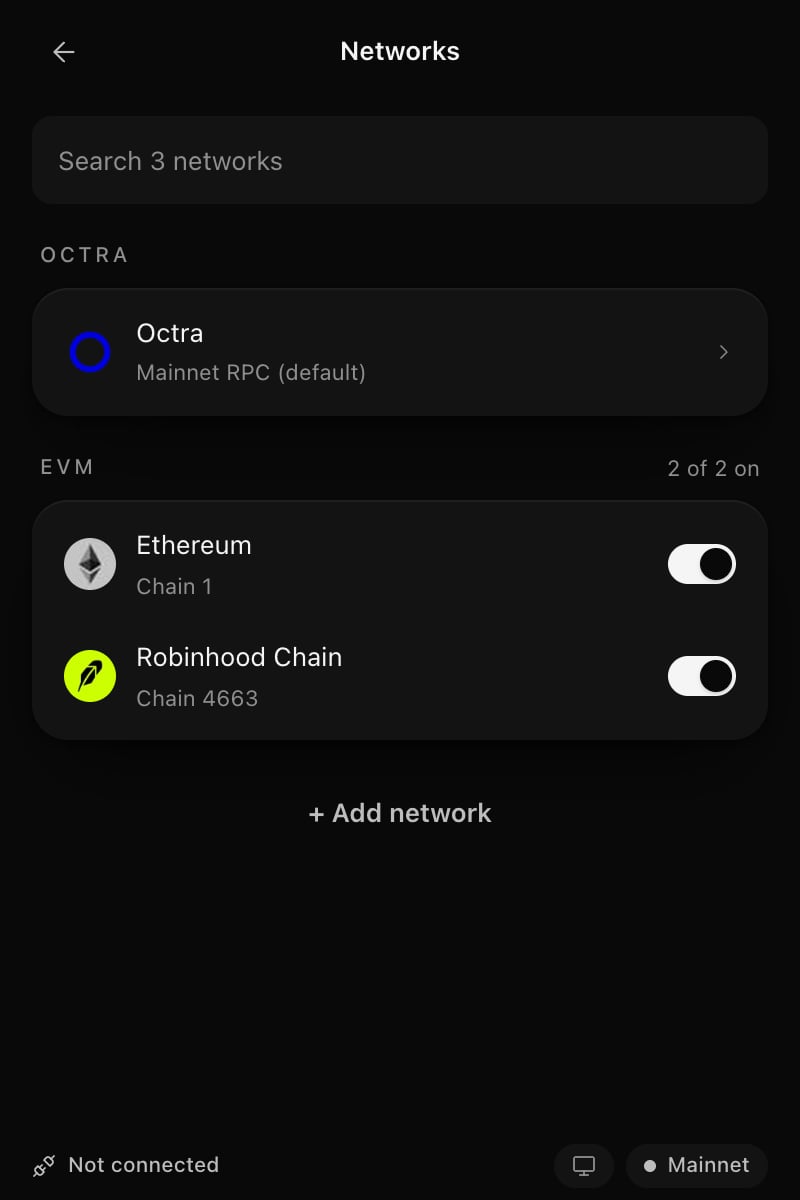
Settings > Networks
- On or off
- RPCs: the network’s own RPC, plus any you add. A new RPC must answer with the network’s chain ID before it is saved. Tap one to use it; remove the ones you added.
- Explorer and symbol
- Remove network for networks you added, or Reset to default for built-in ones. Reset brings back the network’s own RPC and explorer, turns it on and removes the RPCs you added.
Adding a Network
Tap + Add network in Settings > Networks:- Popular: 30 common chains (17 mainnets and 13 testnets), one tap each.
- Search: also searches the public chain list from chainlist.org, fetched on your first search and kept for a day.
- Custom network: enter an
https://RPC URL; the chain ID and details are read from it.
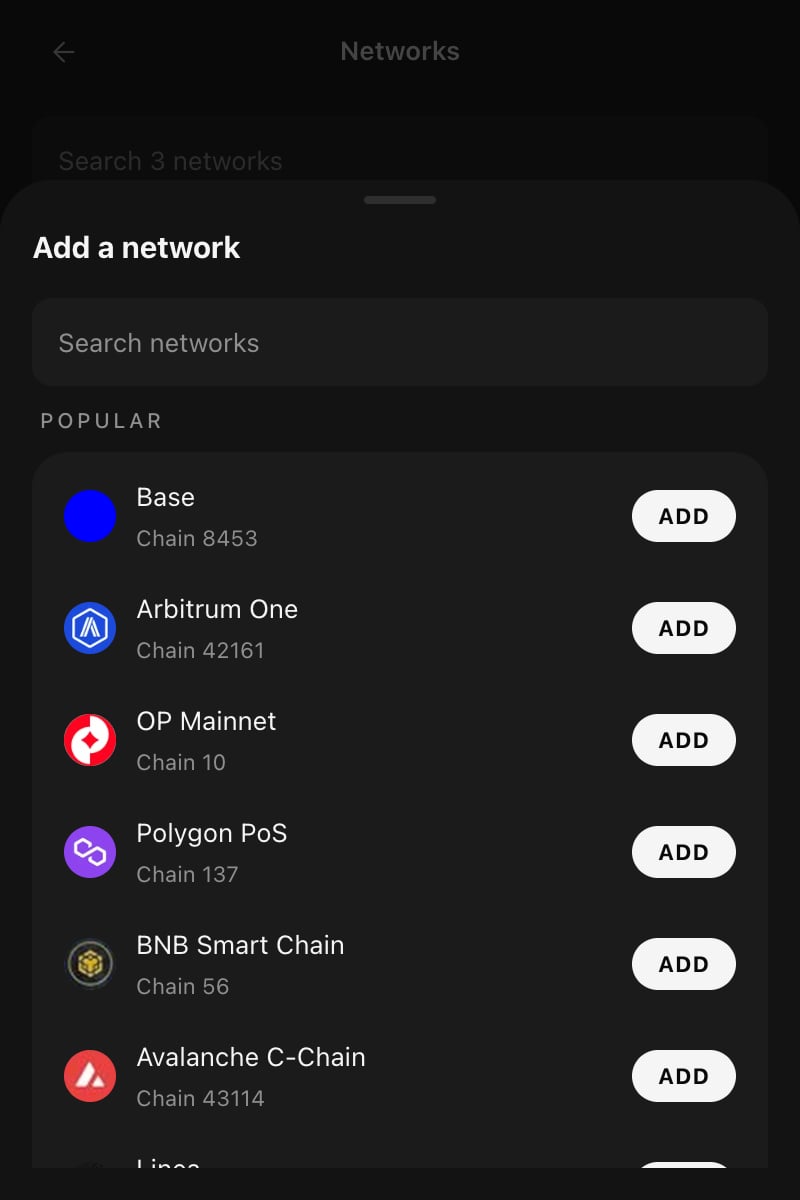
Add a network
Home
The switch in the header picks what Home shows: All networks, Octra or EVM.- All networks adds Octra and EVM together in USD.
- EVM lists ETH and tokens on every EVM network that is on, with a network badge on each logo and an All EVM filter.
- EVM prices and the EVM chart come from DefiLlama. Testnet tokens have no price.
Tokens
- Listed tokens show on the built-in networks without any setup, for example USDC, USDT and wOCT on Ethereum.
- Tokens you hold are found through the 0xio oracle and join Home, unless they look like spam (links or bait words in the name, or a symbol that imitates ETH, USDC, USDT, OCT and similar). Listed tokens, tokens you imported and tokens you have sent are never treated as spam.
- Import token: paste a 0x contract. It is looked up on every known EVM network at once: the network it is on is filled in, several matches are listed, or a network search opens.
- Settings > Tokens and NFTs lists every token and collection under Shown on Home and Hidden as likely spam, with a switch each. Your switch always wins over the spam rules. Hidden tokens leave Home and its total and are not read.
Receiving
Receive has Octra and EVM tabs. The EVM tab shows your 0x address with the logos of its networks. The same 0x address works on every EVM network; send only EVM assets to it.Sending
Pick Send with an EVM asset, or choose EVM when Send asks Octra or EVM on All networks.1
Pick the asset and recipient
Choose the coin or token and type, paste or pick a 0x recipient. The address book takes 0x contacts. The zero address and the token’s own contract are refused.
2
Enter the amount
The live network fee is read from the network. A fee far above the network’s gas price, or above the cap of a built-in network, is refused.
3
Review
The review shows the amount, recipient, network and the maximum fee. Back returns to the form; Send signs. The review is bound to the wallet, address, network, RPC, recipient, amount and asset it showed, so any change asks for a new review.
4
Status
The screen follows the transfer until it confirms. A transfer still unconfirmed after 5 minutes ends as Still pending or Replaced or dropped, with a link to the explorer.
NFTs
- Octra and EVM collections share one NFTs list, with a network badge on each cover. The list follows the Home switch.
- EVM holdings (ERC-721 and ERC-1155) come from the 0xio oracle; images load through the 0xio proxy.
- Import an EVM NFT by contract and token ID. The network is detected the same way as for tokens, and the preview checks that this wallet holds it.
- A piece’s page shows the art, network, standard, contract, token ID and an explorer link, with Send (through a review) and Hide with Undo.
History
EVM activity shows in History next to Octra, newest first, on the same Mainnet and Testnet pages. See Wallet Interface.- Ethereum and Sepolia are read through the 0xio oracle. A network you added is read from its own explorer when that explorer is Blockscout.
- A network with no history source is named at the end of the list: History not available on that network.
- History is read when you open it and when you refresh, not on a timer.
- Only ETH, listed, imported and shown tokens appear. Zero-value transfers, spam-flagged and hidden tokens are left out, so address-poisoning transfers never show.
- Contract calls read as actions (Swap, Approve, Bridge and others). Tap a row for its details, and View call data for the method, every argument and the raw input.